Service Manager - Mini Splits
This function is for technicians to monitor the Refrigerant Cycle in the Split System.
It can monitor values of each sensor and the compressor’s rotation speed in the Split System.
Log in to the AIRSTAGE Cloud and display the App hub screen.
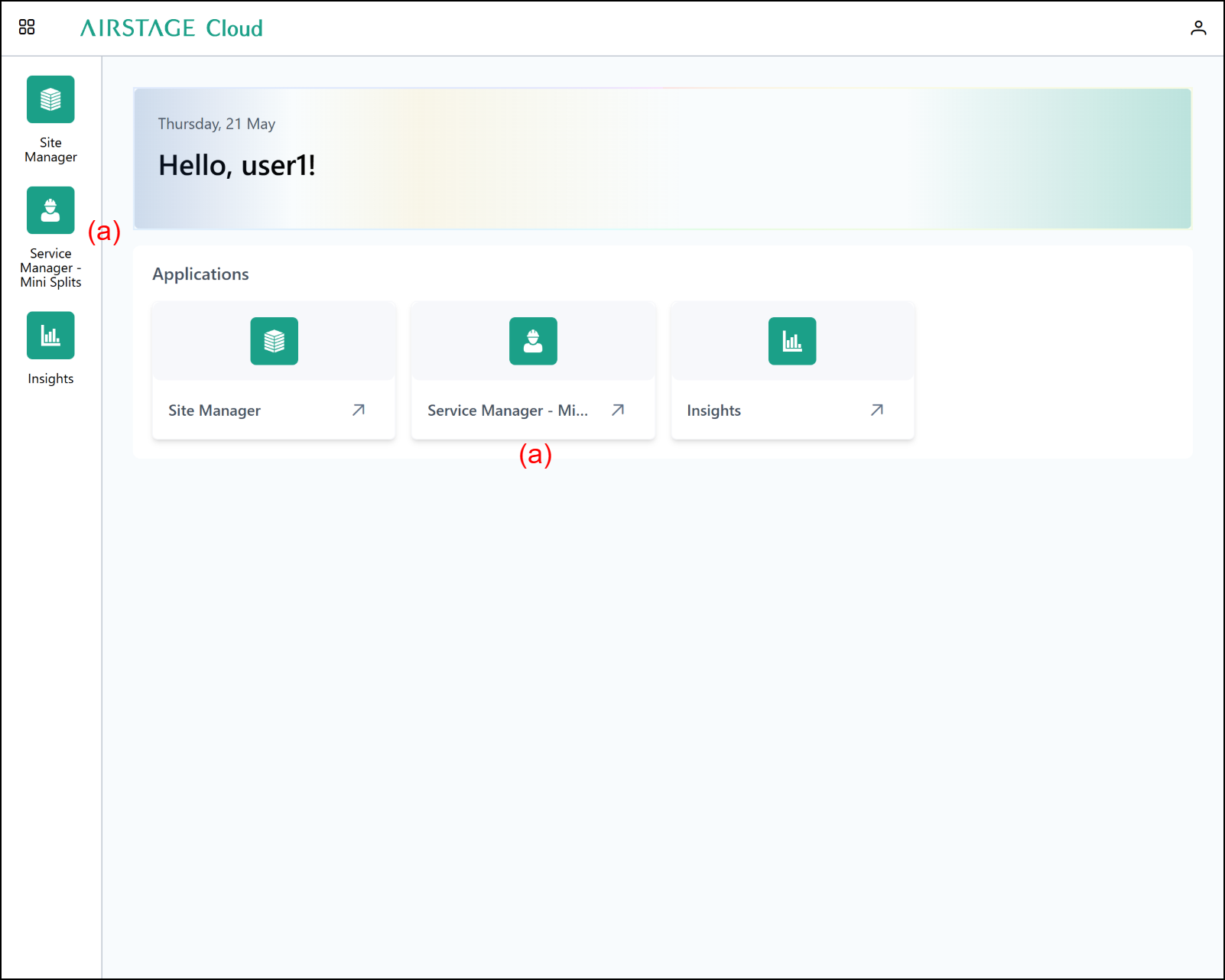
Click (a) to go to Service Manager - Mini Splits.
Site List
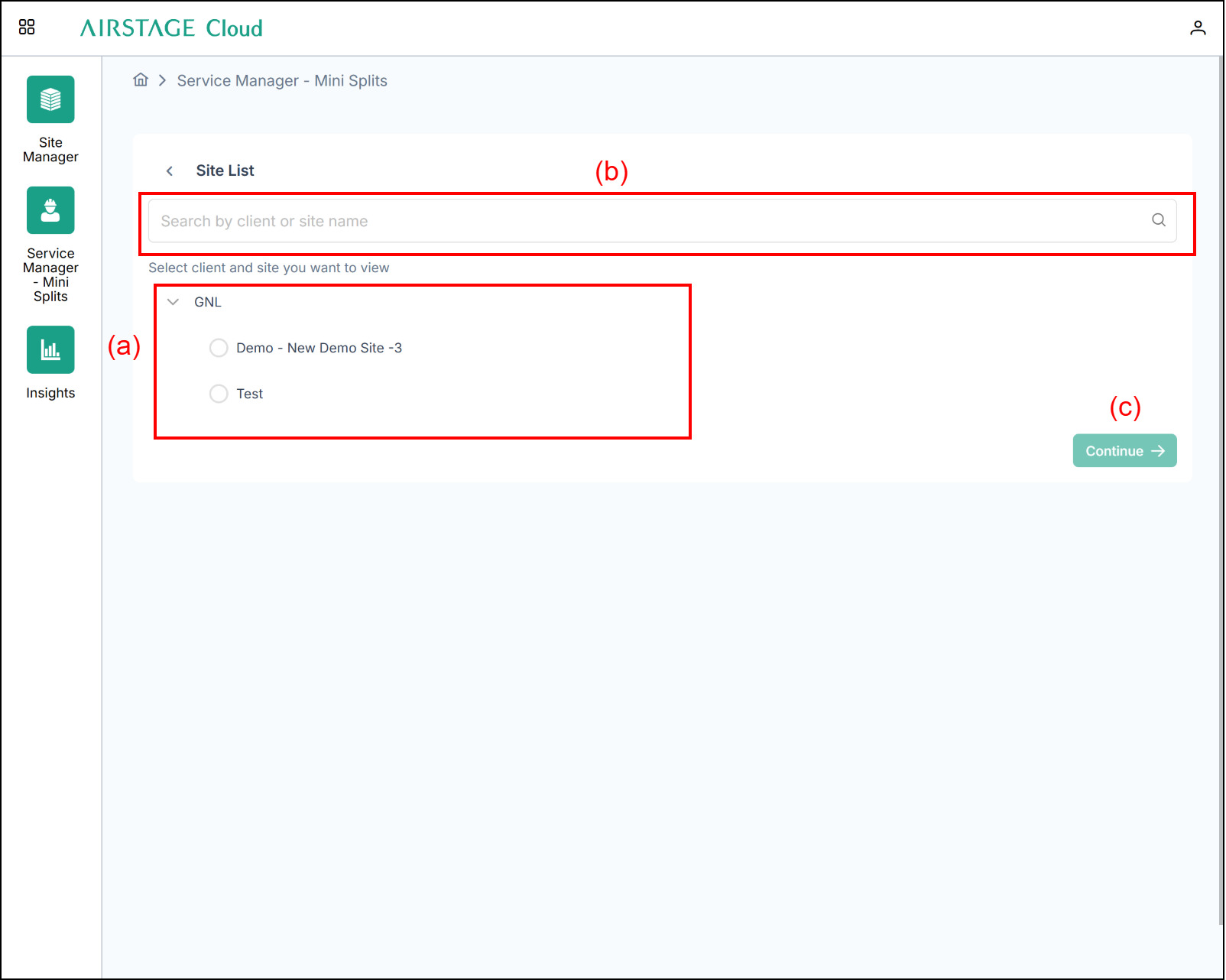
(a) Select the site you want to check.
(b) As you type, the list of Site suggestions is narrowed down, making it easier to search.
(c) [Continue] button
After selecting the Site you want to check in (a), press button (c).
System List
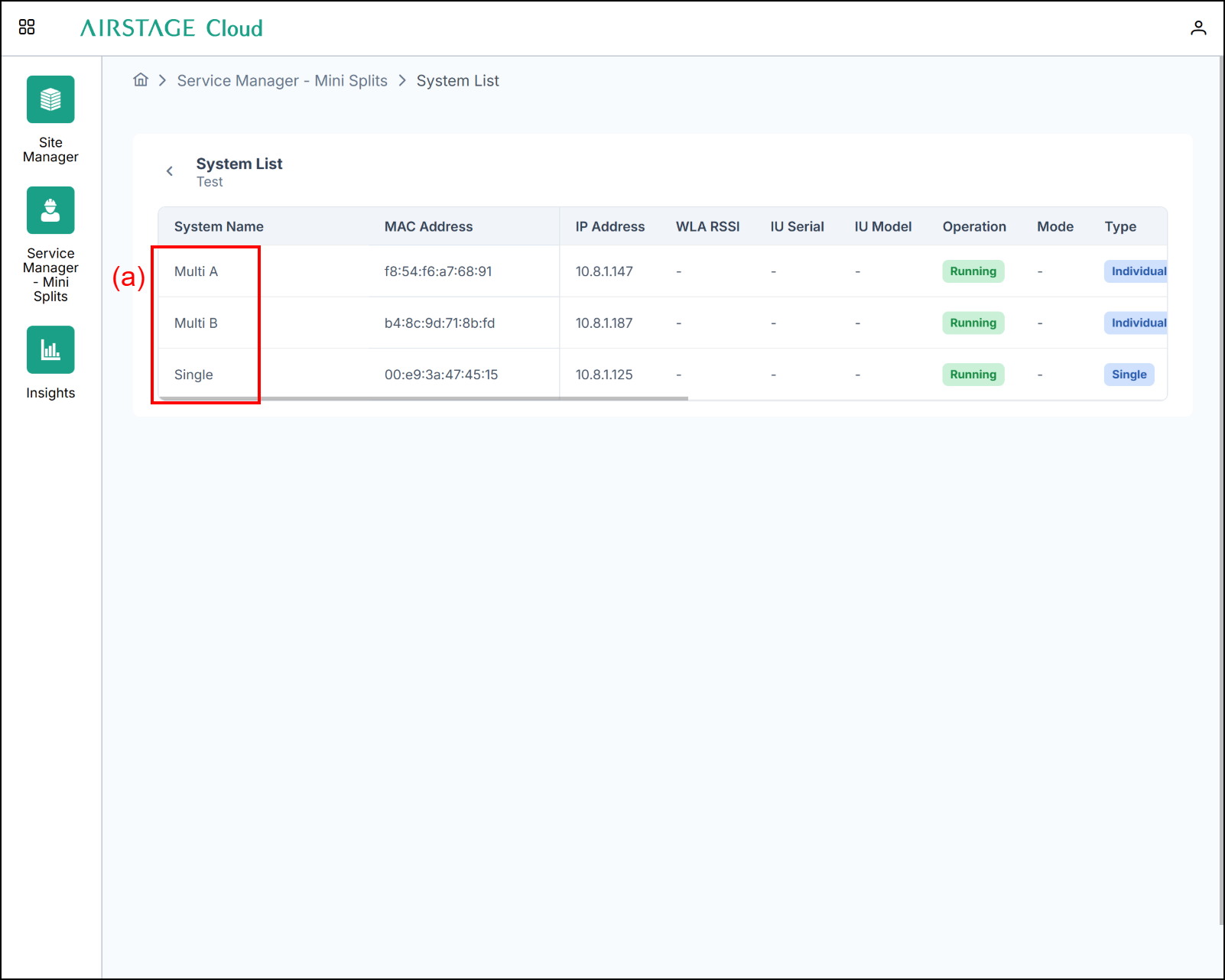
(a) Select the Split System you want to check.
System Diagram
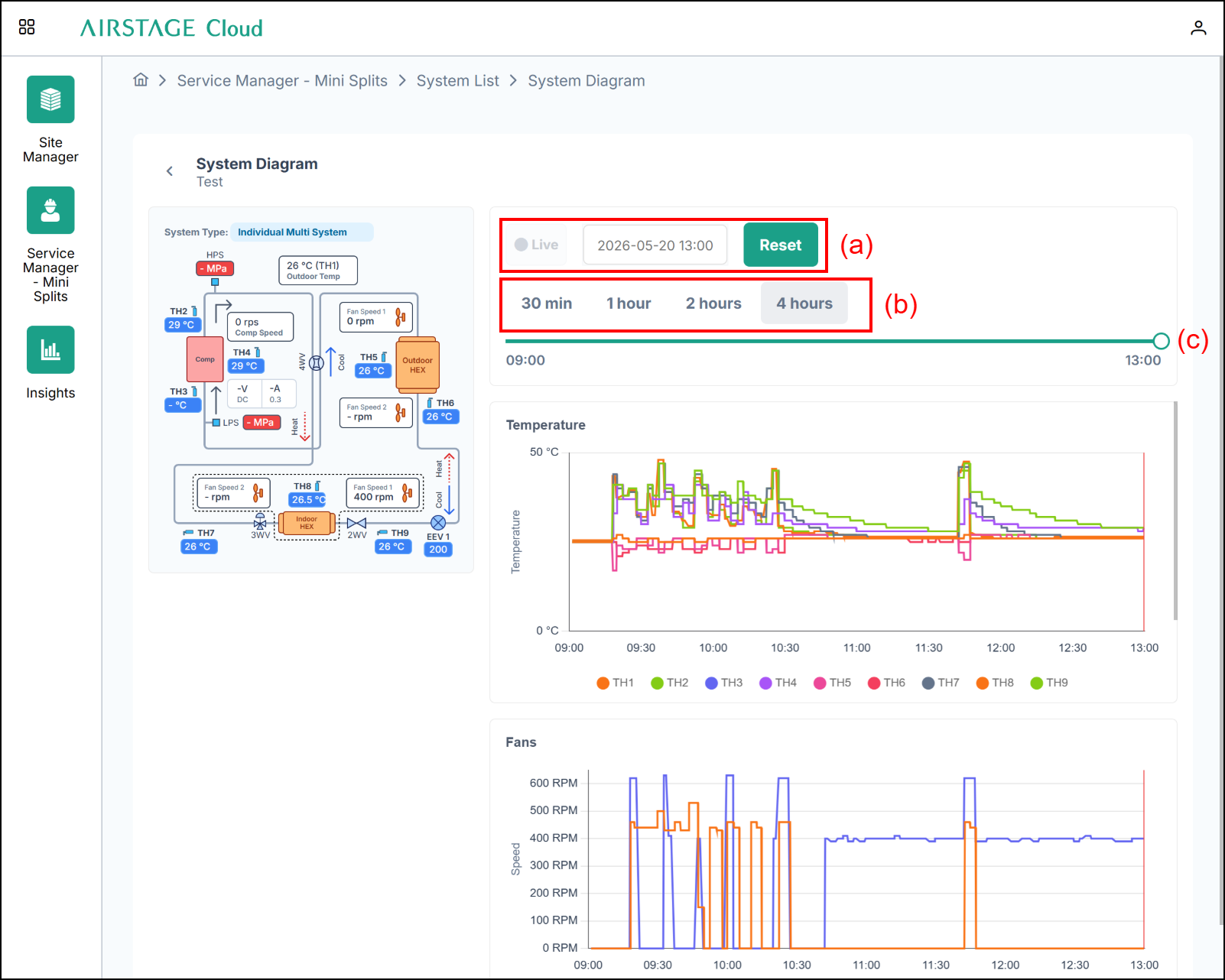
(a) Date setting
Select a date on the calendar and press the Apply button to display information for the specified date and time on the circuit diagram screen and graph screen.
(b) Measurement time selection button
The time scale of the graph’s x-axis can be set to 30 minutes, 1 hour, 2 hours, or 4 hours.
(c) Time gauge
Display or set the time on the graph screen or circuit diagram screen. Use button (b) to set the time range shown on the gauge. The time is set by moving the probe using a mouse drag-and-drop operation.